

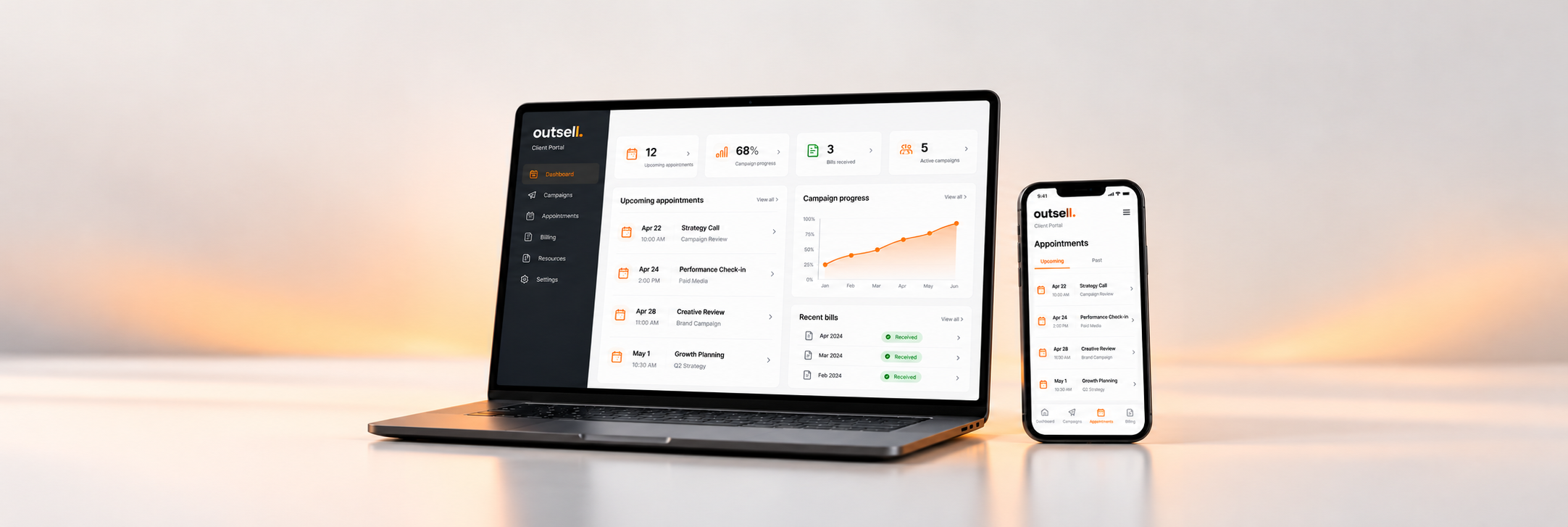
The Outsell Client Portal
Your campaign.
One clear view.
From booked appointments to campaign progress, see what’s happening and what needs your attention—all in one place.
Tell us what you’re looking for ↗Explore the portalClient Login ↗Calendar
Campaign stats
Account
Support
Everything moving forward.
A clear view of your appointments and campaign.
| Appointment | Stage | Bill status |
|---|---|---|
| Example business A | Qualified | Bill received |
| Example business B | Upcoming | Waiting for bill |
| Example business C | Upcoming | Bill received |
Illustrative portal view using sample data. Features and reporting vary by campaign and service.
What’s inside
Less chasing. More clarity.
Know what’s coming.
View your appointments in a list or calendar, see customer and booking details, and keep your team focused on the next conversation.
See your progress.
Keep track of campaign delivery and the appointments remaining. Review the reporting available for your campaign in one place.
Keep the details together.
For solar campaigns, access energy-bill uploads and bill status alongside appointment information. Record outcomes and relevant notes.
A better working relationship
Your team and Outsell,
on the same page.
A portal should help you act, not give you another spreadsheet to manage.
See appointment updates, share feedback and raise support requests from the same workspace.
- Appointment outcomes. Keep the status of bookings clear as your team follows up.
- Context in one place. Find booking information, notes and relevant documents together.
- Support when you need it. Send a support request with the details your account team needs.
- Access for your business. Existing clients sign in to their own portal to view their information.
From enquiry to campaign
Start with the outcome you need.
Describe your goals.
Tell us what you sell, who you want to reach, where you operate and what you want your campaign to achieve.
Find the right approach.
We’ll discuss suitable services, qualification requirements, coverage and campaign expectations with you.
Follow your progress.
Once your campaign and access are set up, use the Client Portal to stay across appointments, delivery and the details that matter.
Let’s talk about your business
What are you
looking for?
More appointments? Better leads? A clearer view of your sales activity? Tell us what you need and we’ll discuss the options.
Please include your target customers, locations, goals, approximate budget and preferred start date.
By submitting, you ask Outsell to contact you about your enquiry. Please avoid including sensitive personal information.
Tell us what you need
A few questions, answered.
Is this the live Client Portal?
This page introduces the portal and shows an illustrative example. Existing clients can access their account at clients.outsell.com.au.
Can I see a demo before starting?
Yes. Use the enquiry form and ask for a portal walkthrough. We’ll discuss your requirements and arrange the next step.
Is the portal only for solar campaigns?
The portal supports our client campaign work, with features tailored to the service and campaign. Energy-bill features apply to solar. Tell us your industry so we can discuss what suits your business.
Does submitting this form create an account?
No. This form sends your enquiry to Outsell. Client access is arranged separately when your campaign or service is set up.